Back to Works
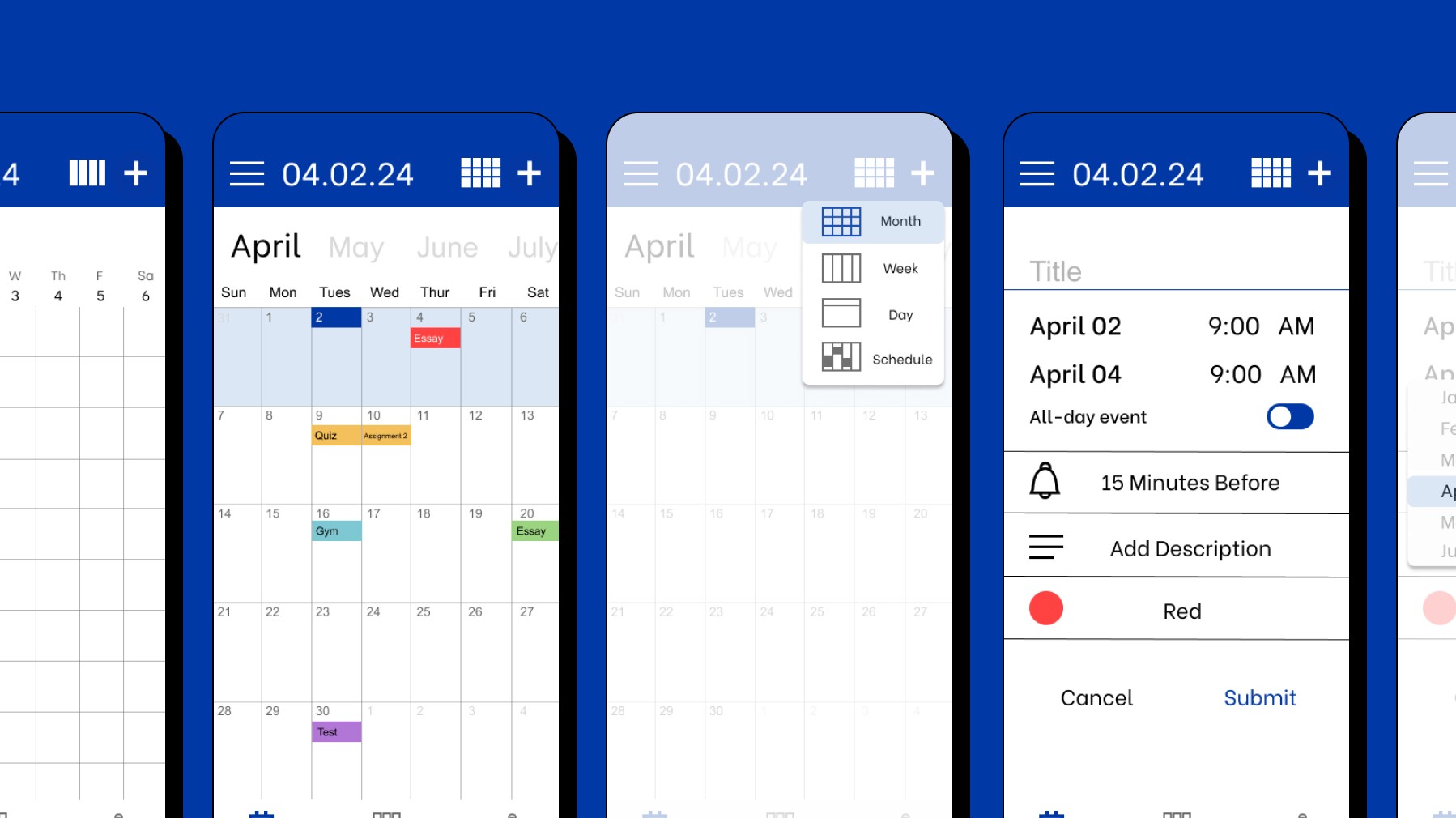
Improving a reminder app by adding customization.
PROJECT
Personal
ROLE
UX Designer
DESIGN
UX/UI
DURATION
1 Month
Project Overview
Research
Define
Final
Project Overview
BrightSpace Pulse is an extension of GSU’s class dashboard, ICollege. It’s a reminder app for students to see their assignments, grades, important deadlines, and more.
Although it sounds helpful, many GSU students do not enjoy using the app.
80% of my users would NOT recommend it to a friend. This piqued my curiosity to make the students experience an enjoyable one.
Project Overview
Research
Define
Final
Research
After speaking to 5 students, my analysis revealed that students are dissatisfied with Pulse’s limited layout and customization.
To be specific students had issues with the following:
Lack of calendar customication
Unorganized notification center
Inconsistent brand identity within the app
1
Lack of Calendar Layout Options
User frustration peaks when the only options for viewing upcoming assignments is the by the current week or all assignments from all classes.
Actual Pulse UI Pages
Limited Assignment Viewing
There lacks the option to view it by month, week, day, etc. To see more assignments, they must click the arrows day by day.
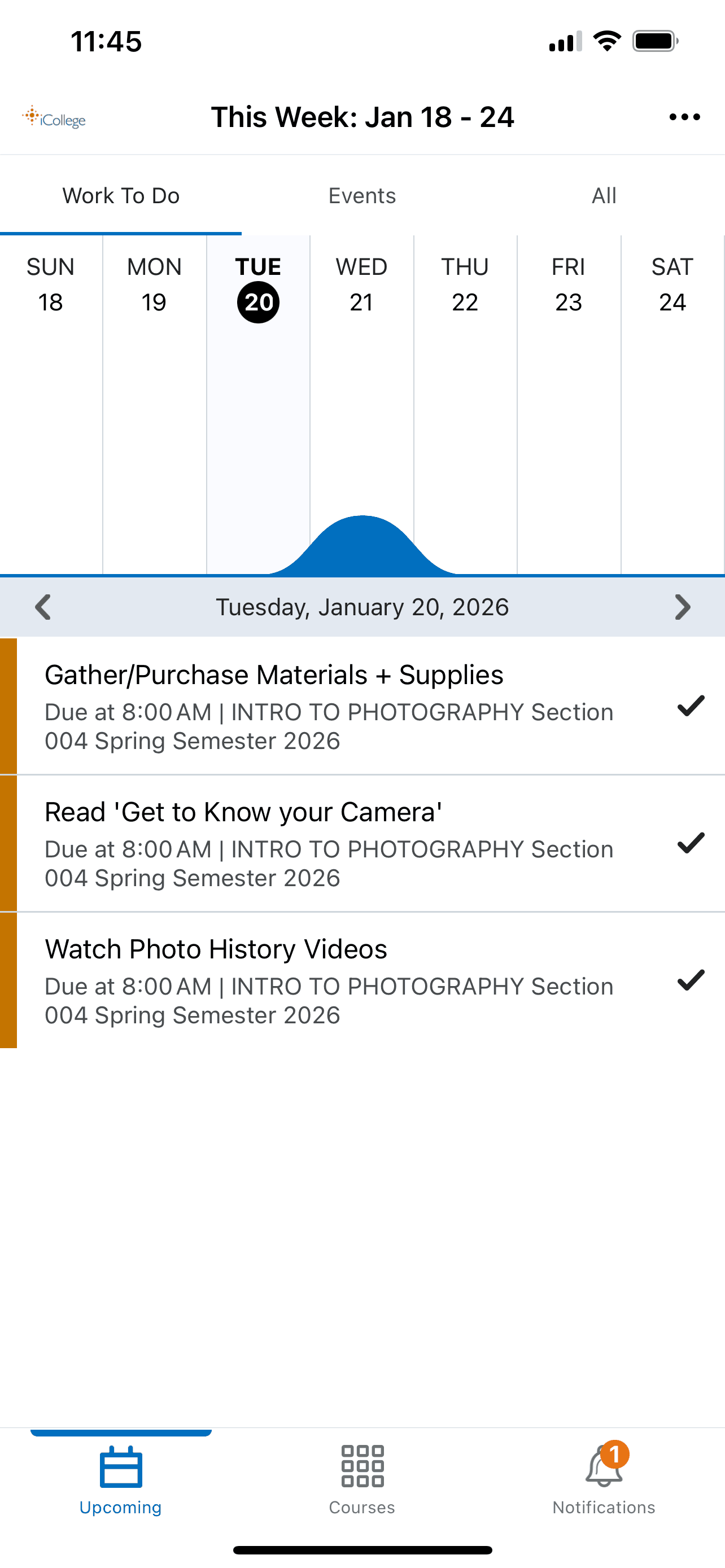
1ST OPTION Work To Do Page
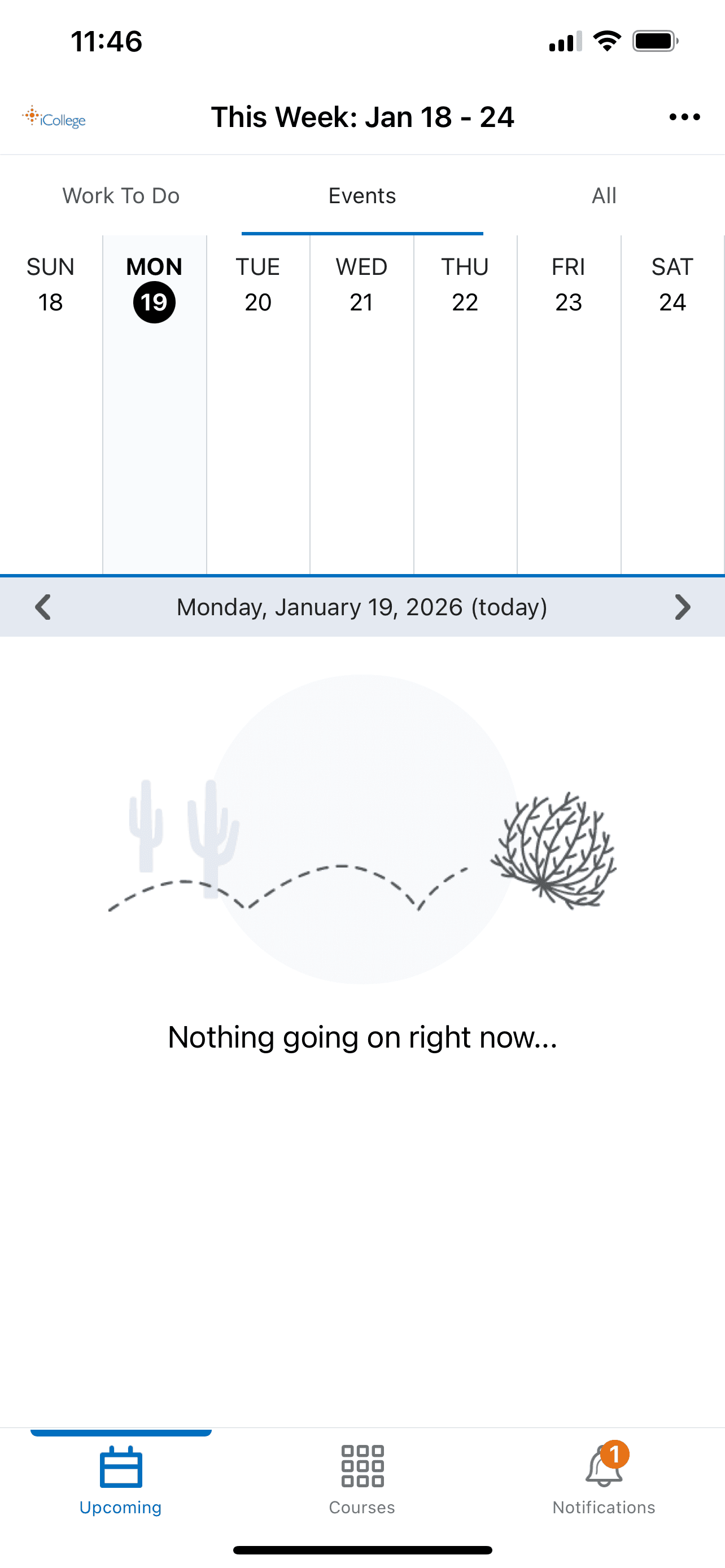
2ND OPTION Events Page
Although it’s a given page, the events tab is unused.
It does not populate any type of assignment.
My users were unclear what “Events” stood for and always skipped the tab.
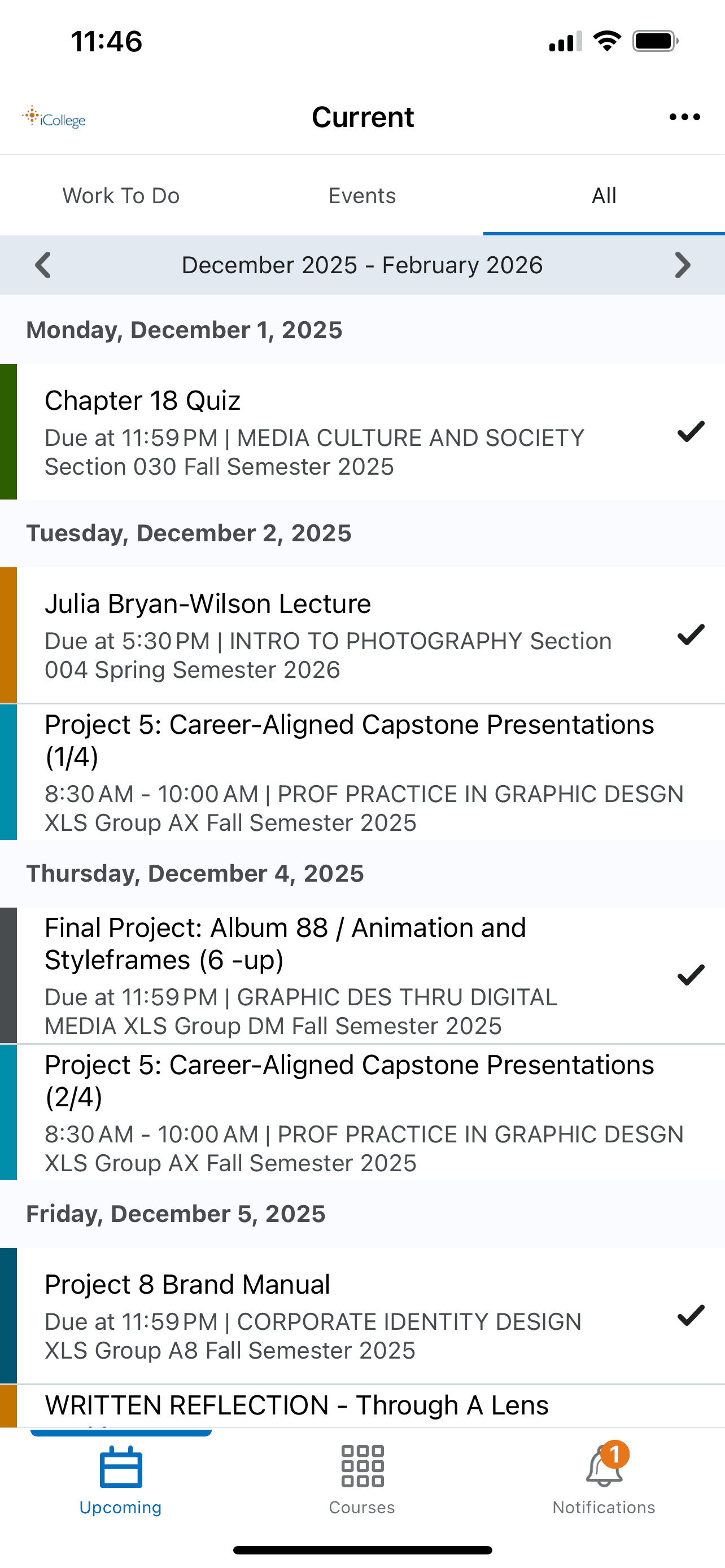
3RD OPTION All Page
The All tab, list every kind of upload with no filter options.
The tab lumps all uploads alike (rom quizzes, tests, assignments due, and professor posted content.)
Another found issue is it sorts the content only in groups of 3 months. Not by month, week, or day and lacks.
2
Unorganized Notification Center
Users’ distressed their notifications being “one long continuous list” and a strain to read. Most preferred to visit the website anyways.
Actual Pulse UI Pages
The Updates page populates all class updates with no filtering capabilities.
There is a lack of filtering, sorting, or a delete function for notifications. Without these functions the student has little control on what they can and can’t see.
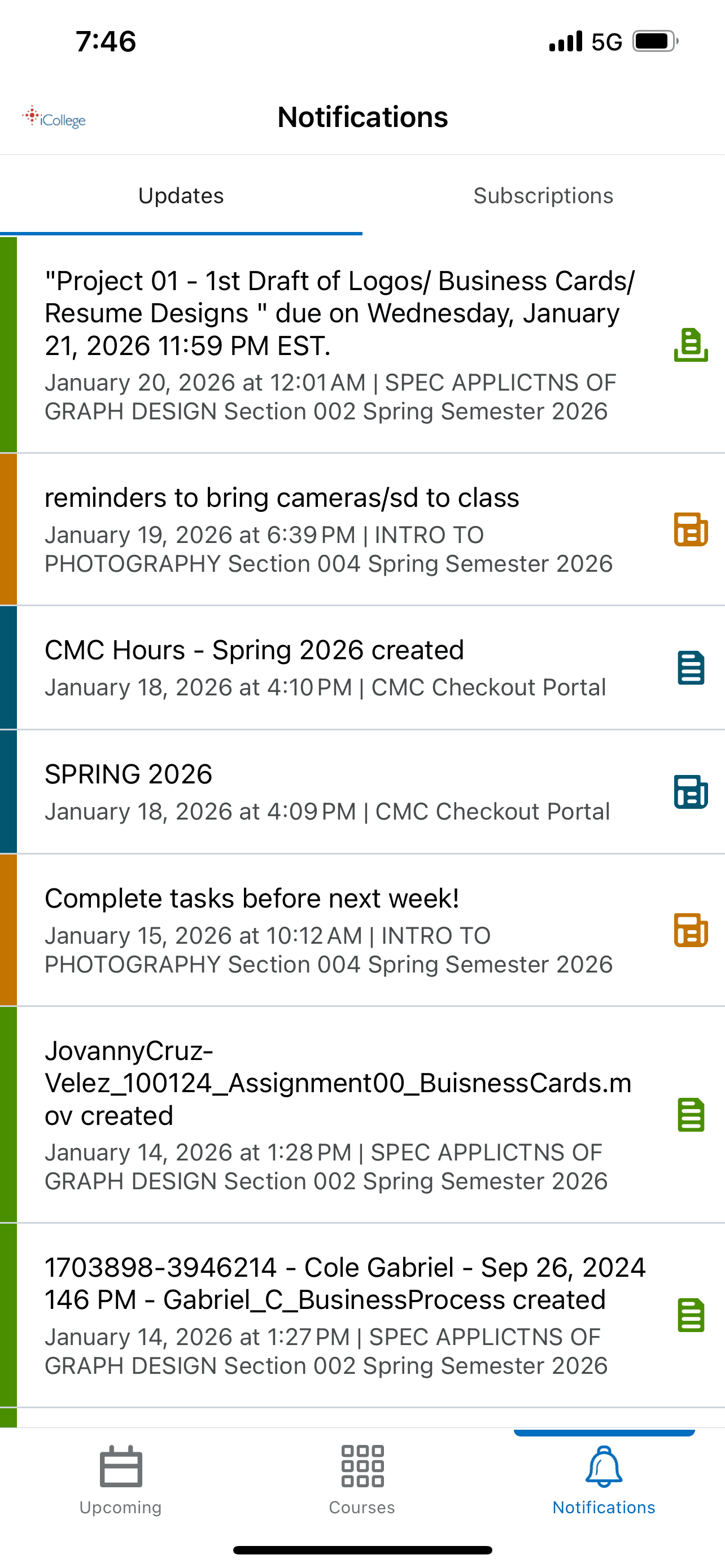
1ST OPTION Updates Page
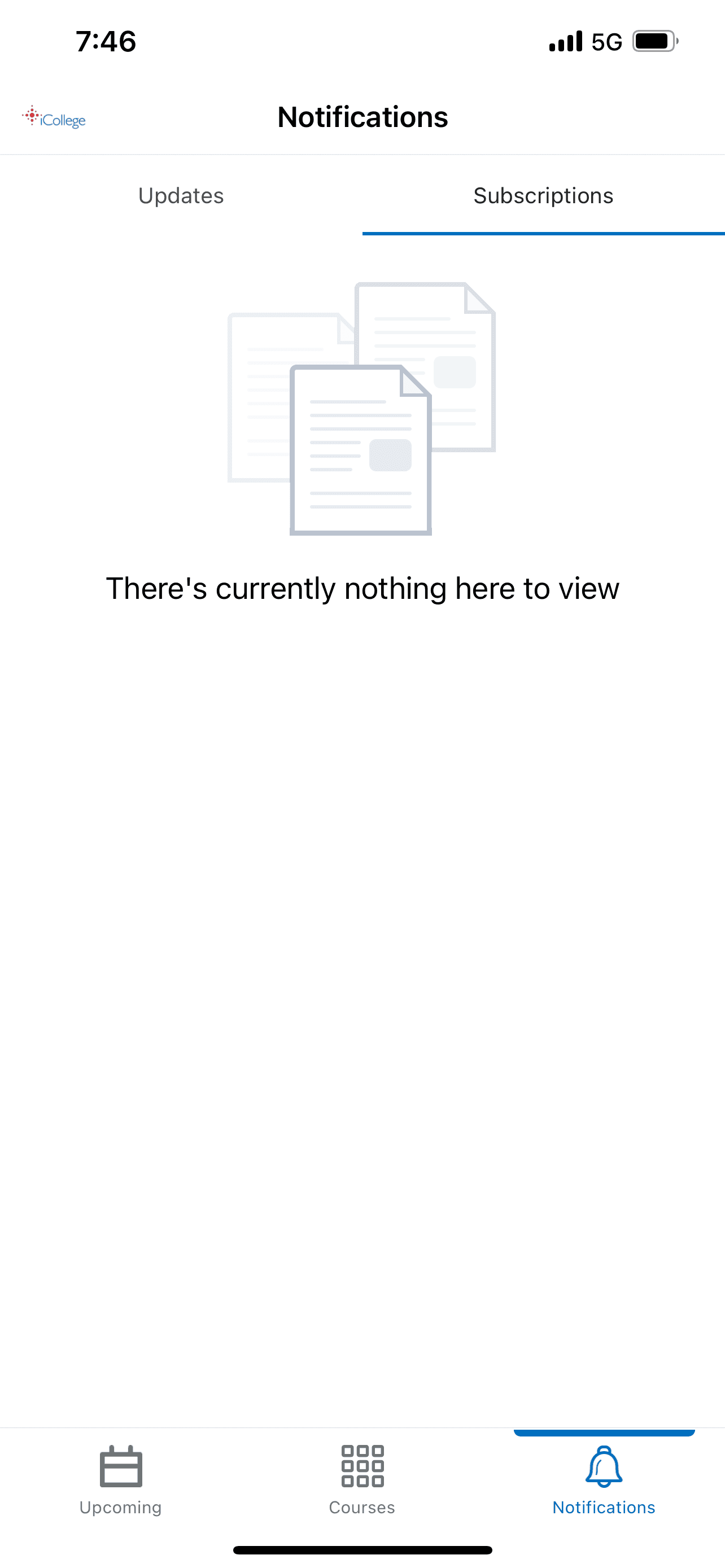
2ND OPTION Subscriptions Page
A page option, but the subscriptions page is unused.
My users were confused on the tab use either had no idea how to “subscribe” to certain classes or assumed their enrollment in the class was their subscription.
3
Inconsistent brand identity within the app
Users expressed confusion on why the app is branded differently and lack useful functions from the website.
Actual Pulse UI Pages
The Updates page populates all class updates with no filtering access.
There is a lack of filtering, sorting, or a delete function for notifications. Without these functions the student has little control on what they can and can’t see.
1ST OPTION Updates Page
2ND OPTION Subscriptions Page
An page option, but the subscriptions page is unused.
My users confused on the tab use either had no idea how to “subscribe” to certain classes or assumed their enrollment in the class was their subscription.
Project Overview
Research
Define
Final
Define Statements
Problem Statement
Students need to view their assignments in a digestible and format because they’re visiting the app for quick class reminders.
HMW Statement
How might we give our students an organized layout of their academic work so that these reminders easily make sense?
Project Overview
Research
Define
Final
Final Solutions
From One Layout to Multiple Layout Views
For user flexibility the Calendar tab functions like a full calendar.
Providing monthly, weekly, or daily calendar viewing with the students class reminders.
PREVIOUS UI
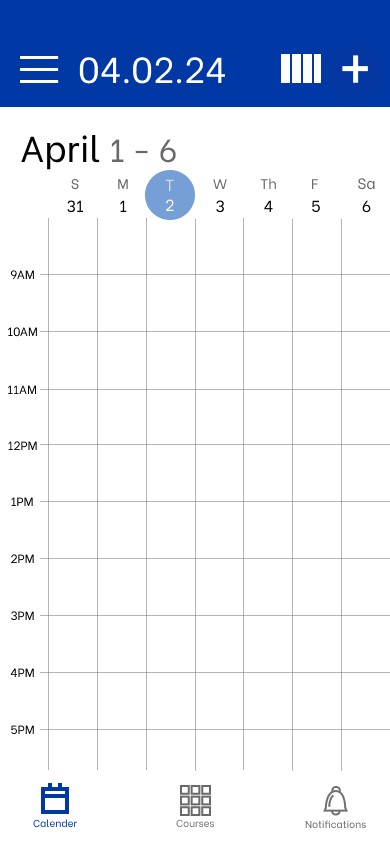
NEW Weekly View
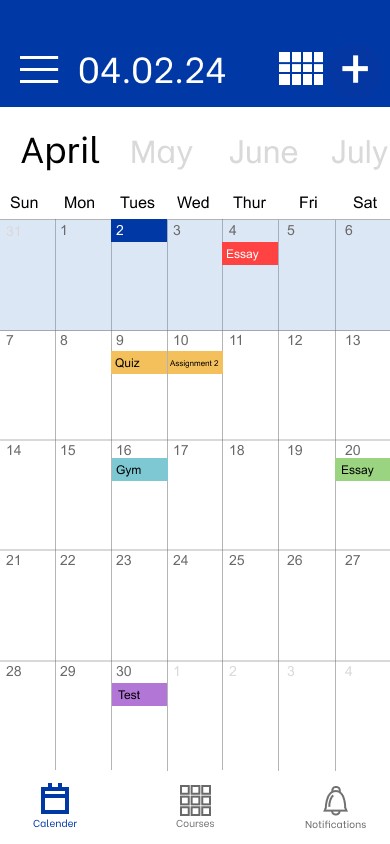
NEW Monthly View
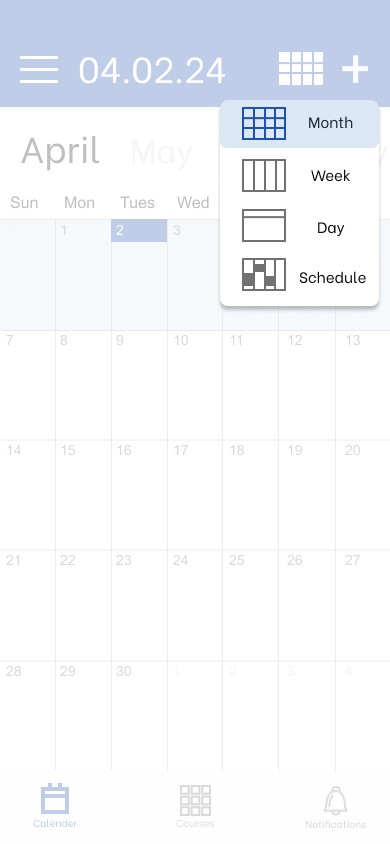
NEW Alternating View Tab
From Clutter Notifications to Filter and Grouped Content
Students are allowed to change the view of their notifications. They have the choice of filtering to all, assignments & quizzes, content only, or by class, and to delete read notifs.
1ST OPTION Updates Page
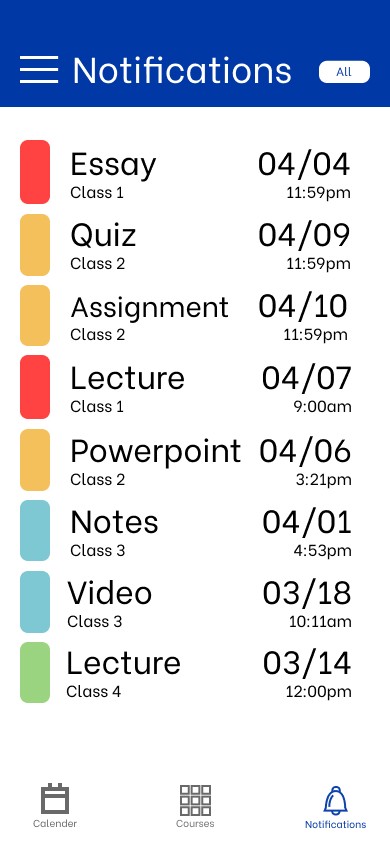
NEW Notification Home
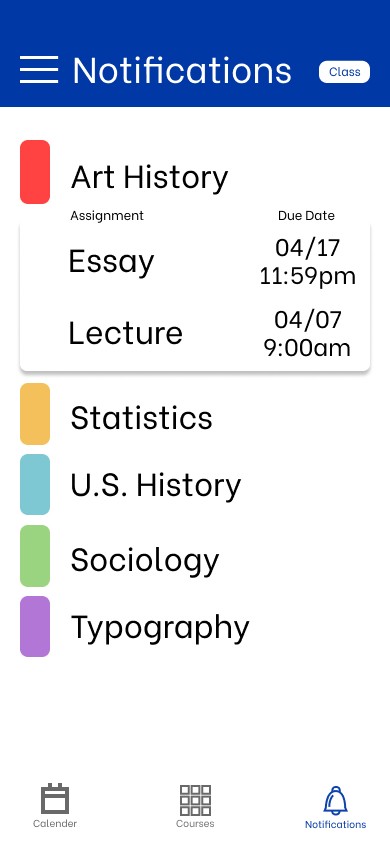
NEW Notification Drop Down
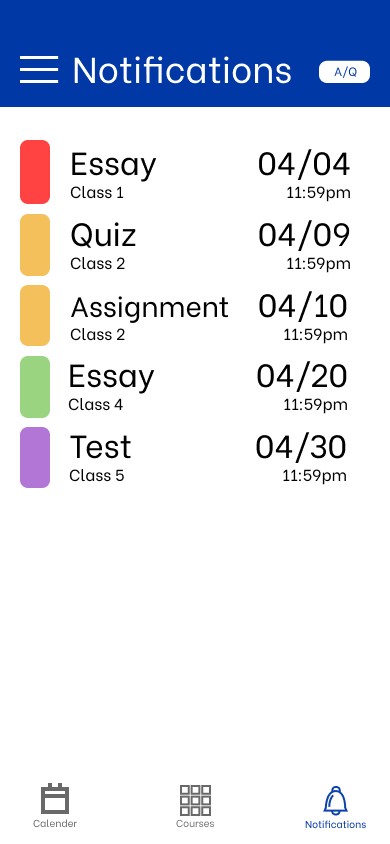
NEW Notification Filtered
From Clutter Notifications to Filter and Grouped Content
Students are allowed to change the view of their notifications. They have the choice of filtering to all, assignments & quizzes, content only, or by class, and to delete read notifs.
1ST OPTION Updates Page
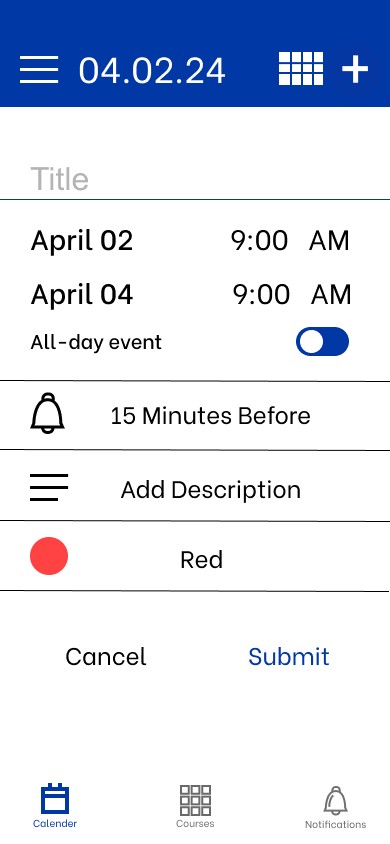
New Branding
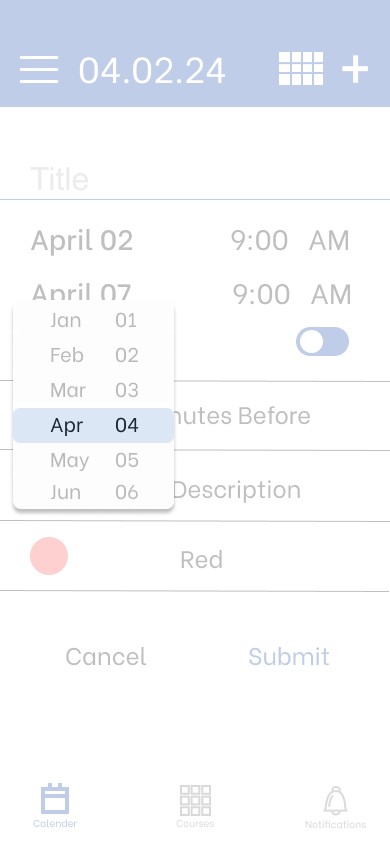
New Branding
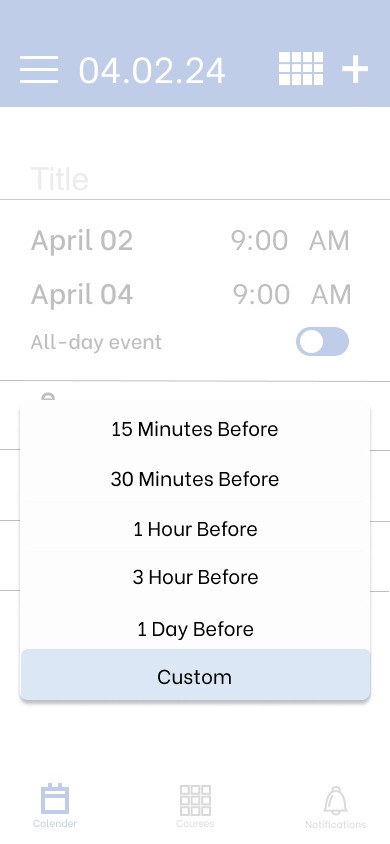
New Branding
Next Projects
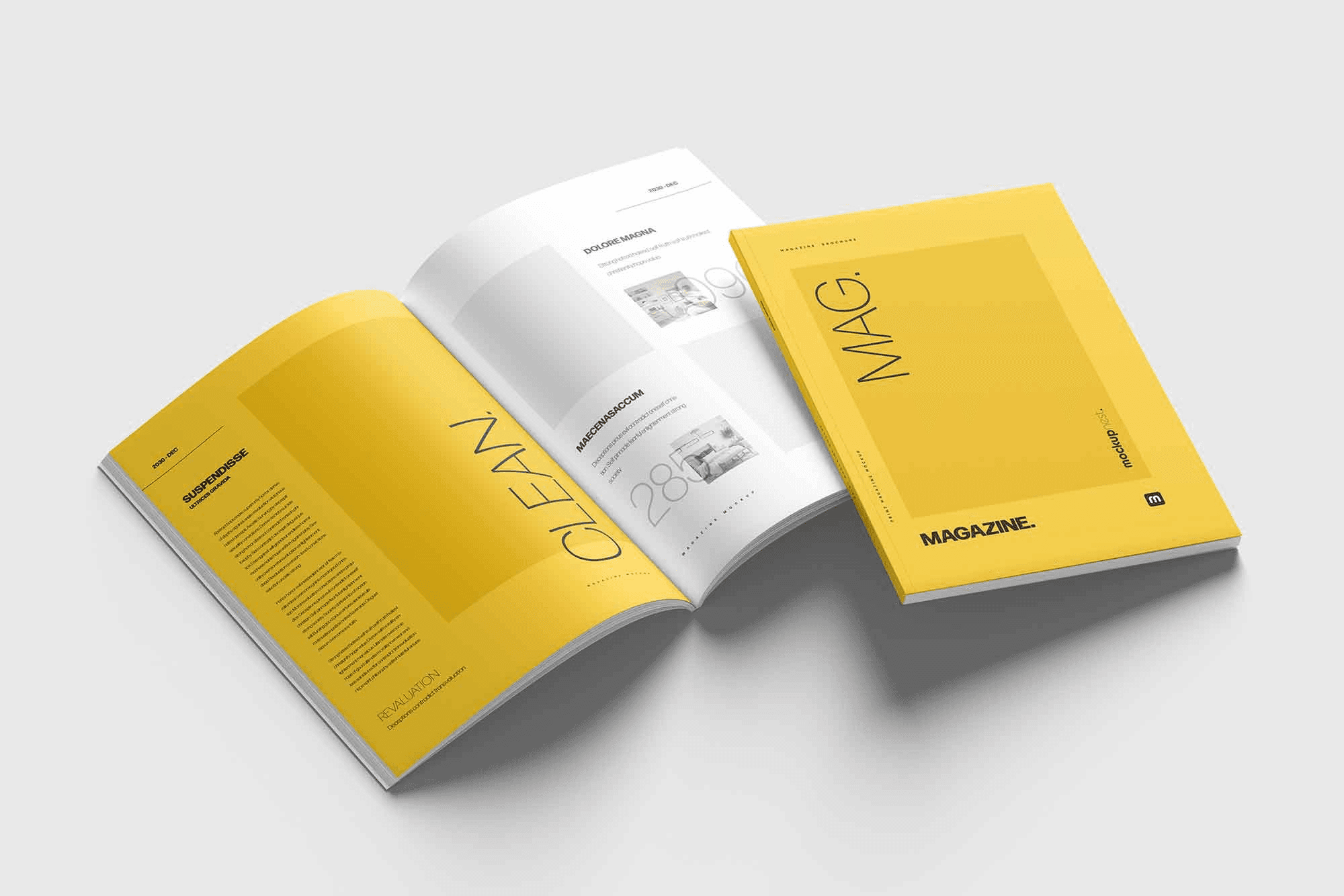
Editoral
How to Atl
A guide booklet on Piedmont Park for new residents in Atlanta.

Motion Design
My UX Process
Showcasing my UX Design process through motion design.